Digitalia ARTS MUNI Technical Documentation
Instructions for Logging in to a Platform Using Unified Login
To spare you from having to remember your login credentials and to enhance the platform’s security, we are implementing single sign-on via the e-INFRA CZ service. e-INFRA is a national infrastructure that enables members of the academic community to access repositories, computing resources, and other digital services. It is connected to a federation of academic institutions, allowing users to sign in using accounts from Czech and international universities and research institutes. Access via Google or an ORCID account is also possible.
New User Registration
How to register with e-INFRA?
- At URL-PLATFORM/user/login, click "Log in with e-INFRA."
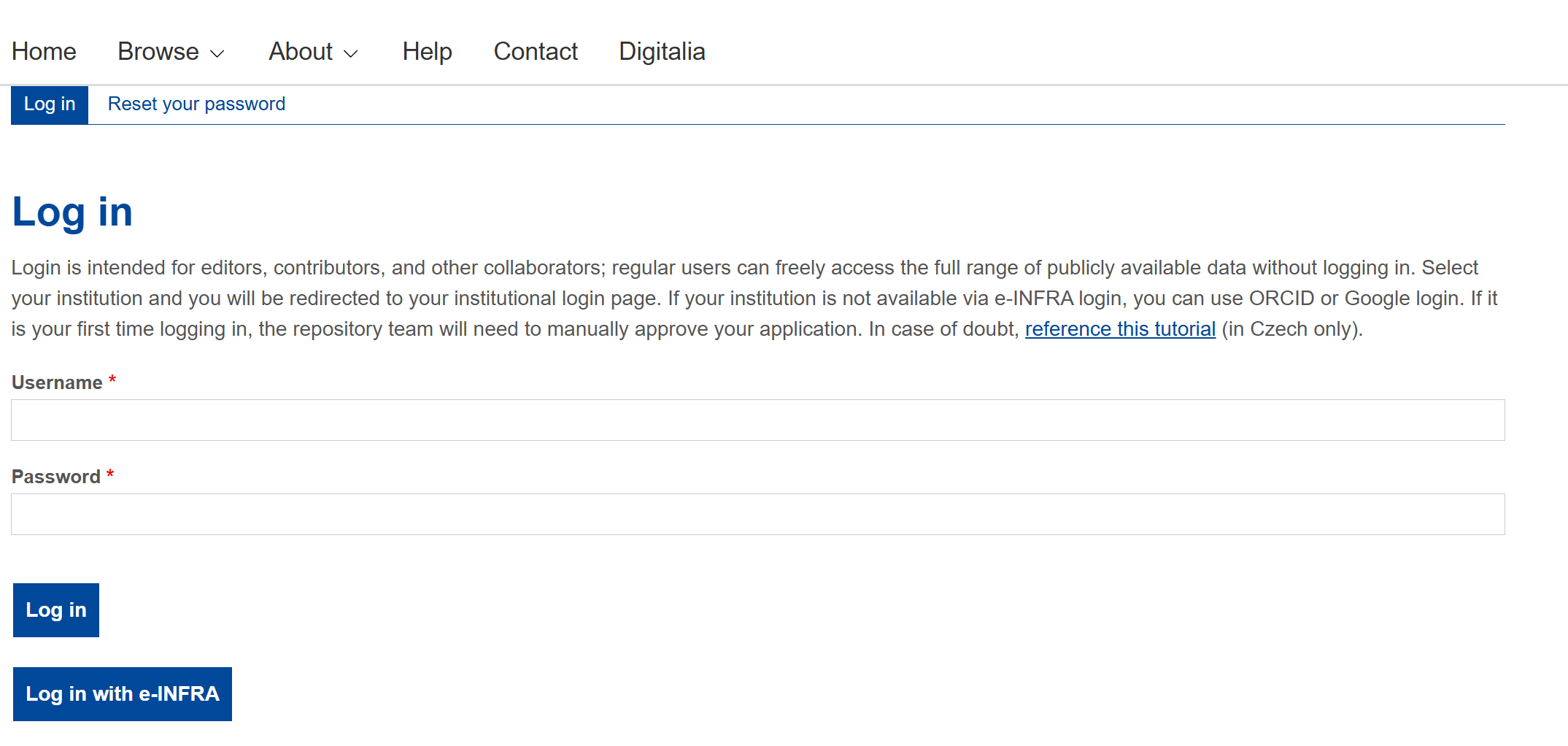
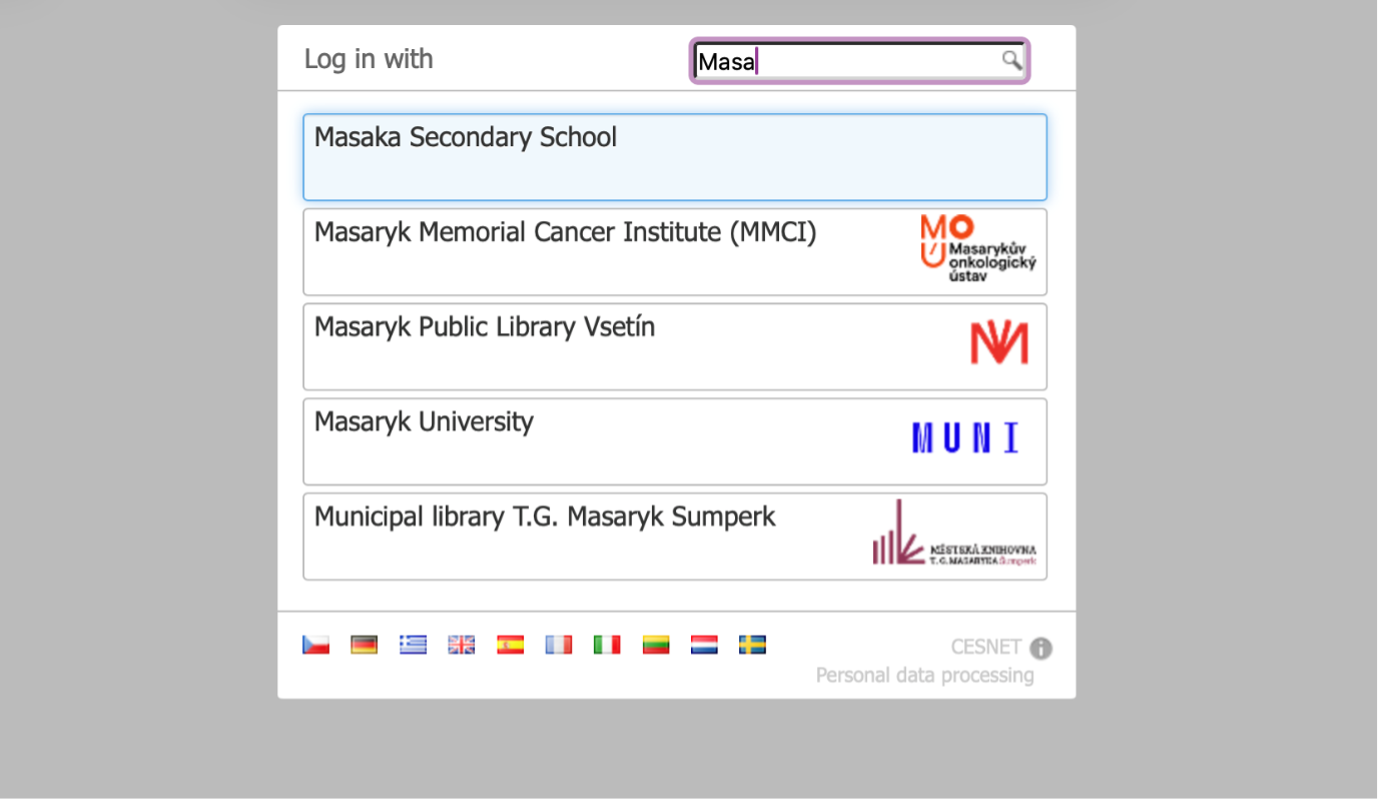
- Select your institution from the list, e.g., Masaryk University.
2.1. If your institution is not listed, please log in via ORCID
2.2. If that is not possible either, the account can be linked to a Google account or an Apple ID.
2.3. It is also possible to create a sponsored account for you at MU for the duration of the collaboration/need for database access. If you are interested, please contact the administrator. (digitalia@phil.muni.cz)
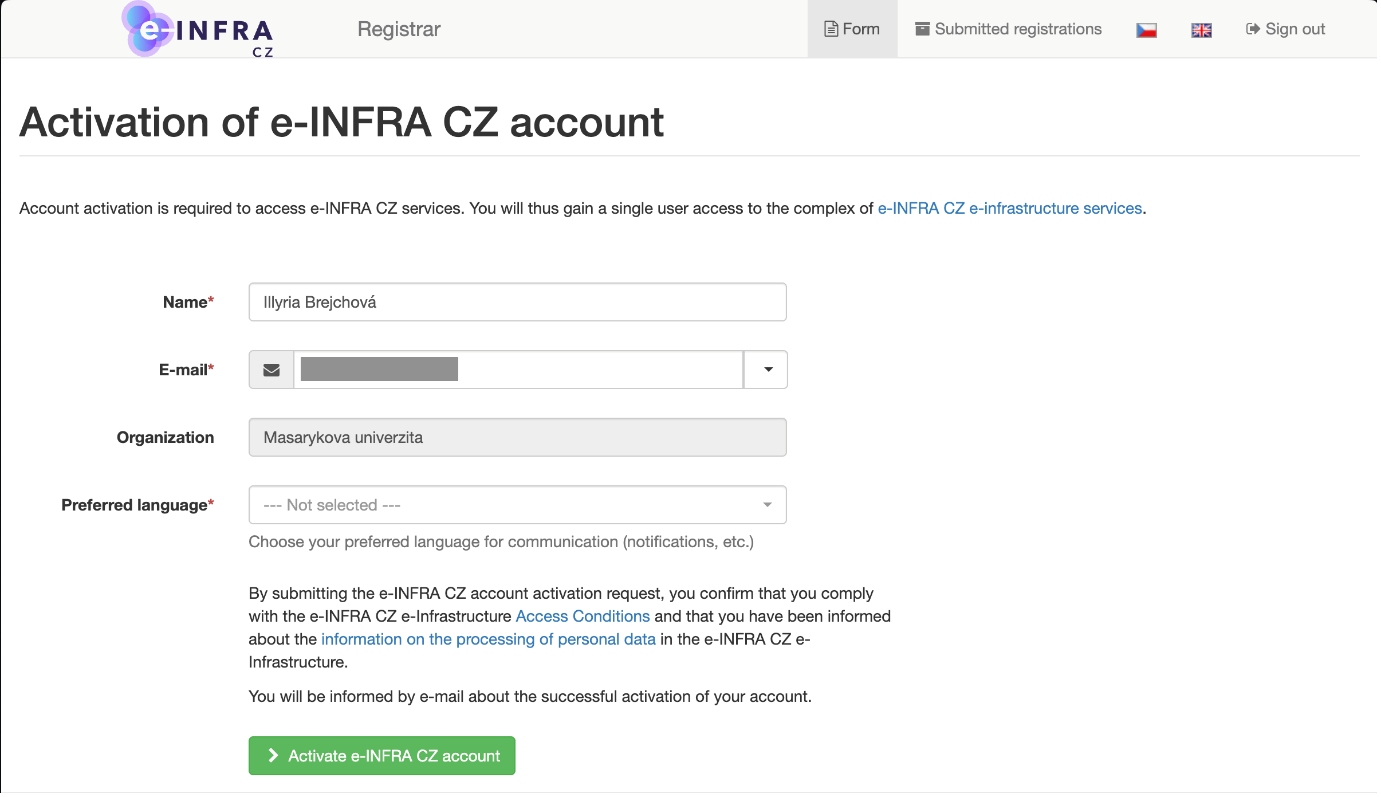
- If this is your first time logging in via e-INFRA, you will need to agree to the registration.
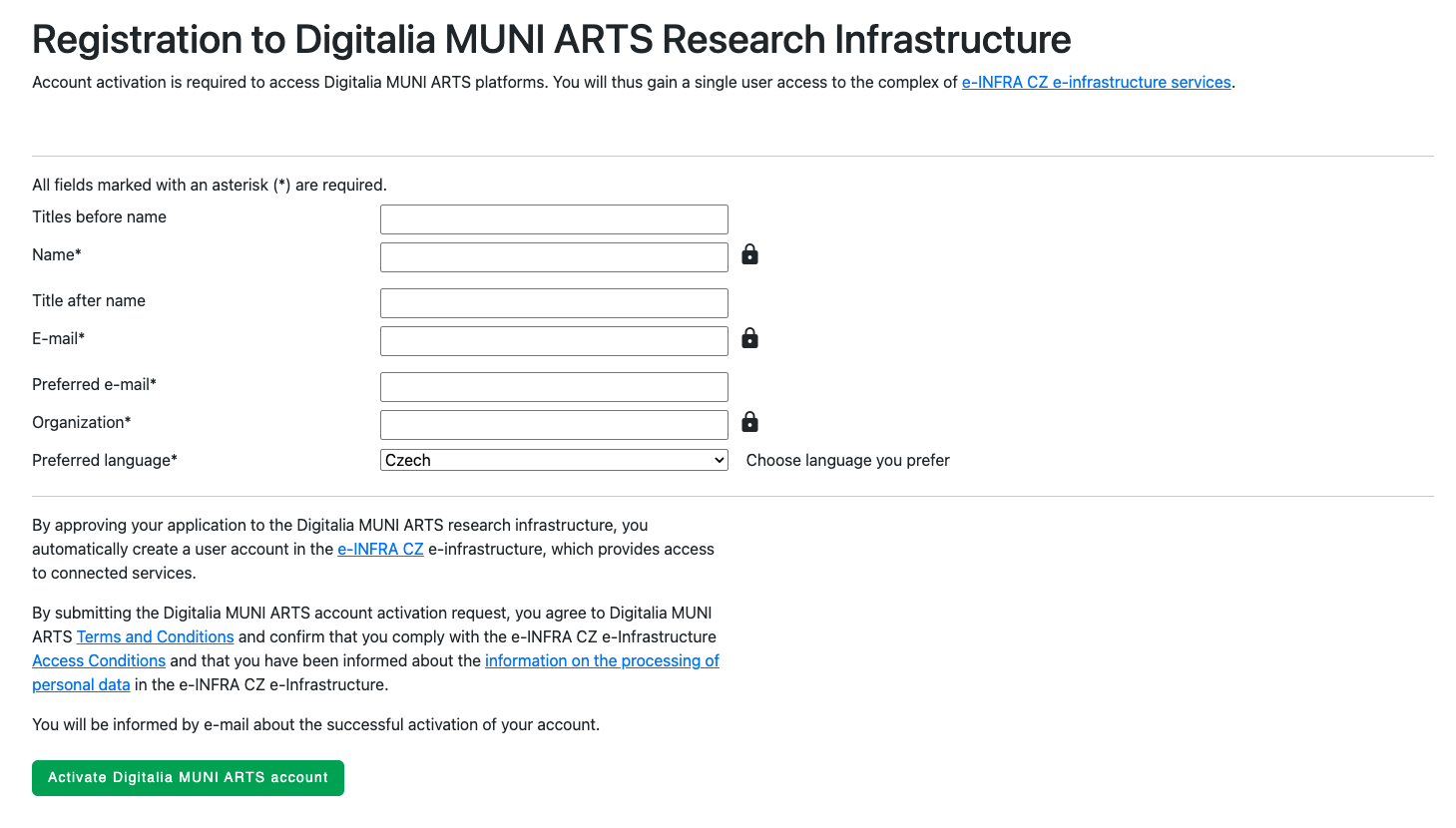
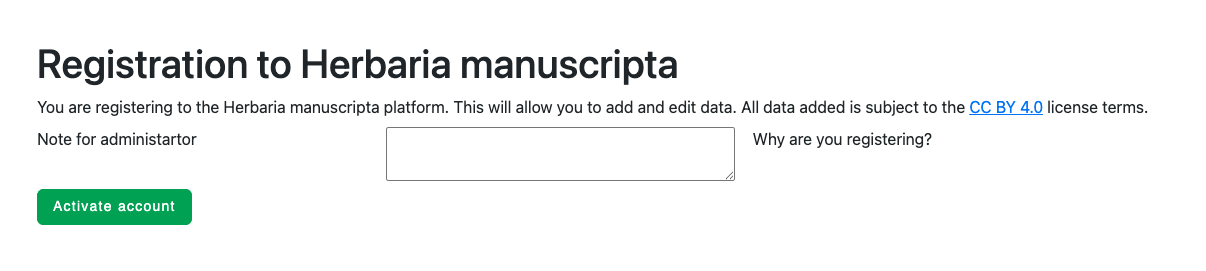
- If this is your first time logging in to a platform on Digitalia MUNI ARTS, you will be asked to register to Digitalia.
- Then you request access to the platform.
-
Wait for the administrator to approve your request. Once your registration is approved, you will receive a notification by email.
-
You can now log in to the platform via e-INFRA login. When logging in for the first time, you must consent to sharing selected information from your profile with the platform.
If you encounter any issues, do not hesitate to contact the administrator at digitalia@phil.muni.cz.
Linking to an Existing Account
How to connect your current account with e-INFRA?
If you have received a pre-approved invitation by email, register through it and you will not have to wait for the accounts to be linked afterwards.
- If you are not already logged in, go to URL-PLATFORMY/user/login and sign in using your existing username and password; click the {Log in} button..
- After logging in, select the Connected Accounts tab.
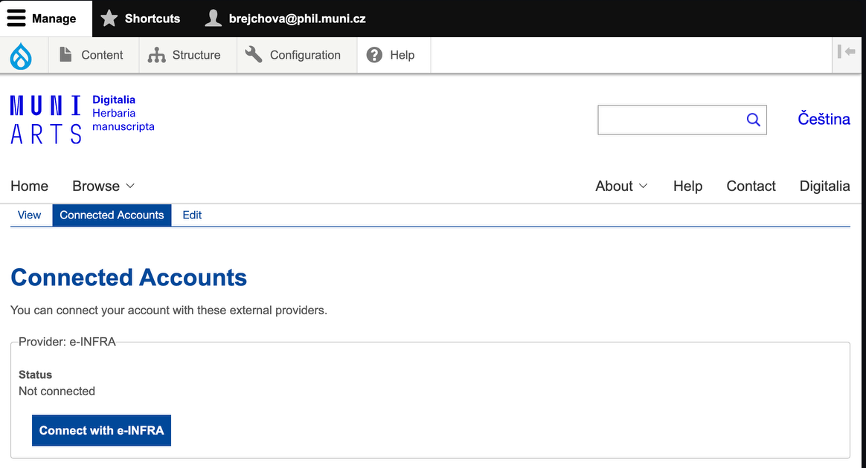
- Click the “Connect with e-INFRA” button and select your institution from the list, e.g. Masaryk University.
3.1. If your institution is not listed, please log in via ORCID
3.2. If that is not possible either, the account can be linked to a Google account or an Apple ID.
3.3. It is also possible to create a sponsored account for you at MU for the duration of the collaboration/need for database access. If you are interested, please contact the administrator. (digitalia@phil.muni.cz).
- If this is your first time logging in to a platform on Digitalia MUNI ARTS, you will be asked to register to Digitalia.
-
Accept sharing selected information from your profile with the platform.
-
If you have not received a pre-approved invitation, please wait until the administrator approves your membership request.
-
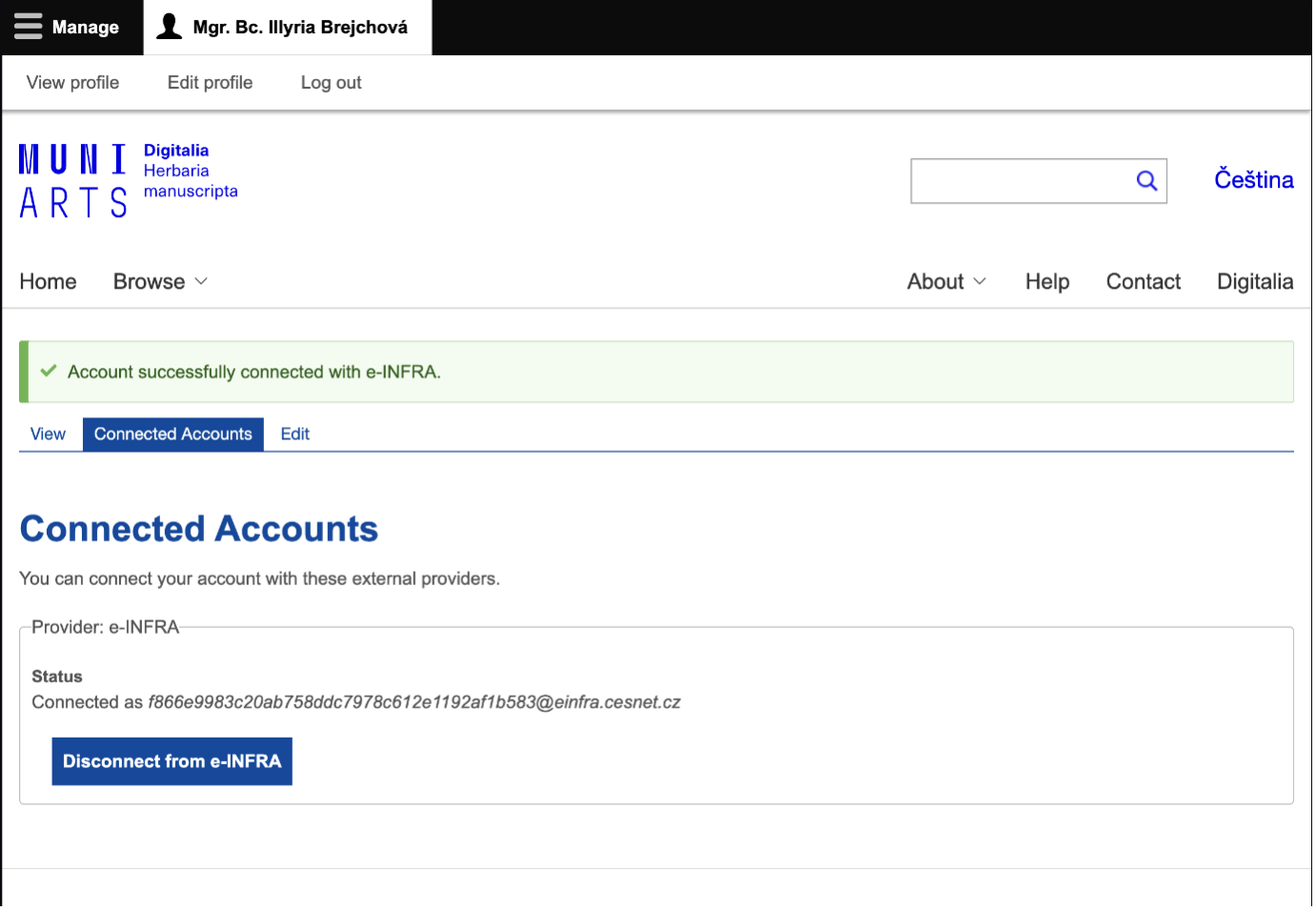
Your accounts have been linked. Next time, please sign in using e-INFRA.
If you encounter any issues, do not hesitate to contact the administrator at digitalia@phil.muni.cz